유노코딩
입문자를 위한 HTML 기초강의
목차(T.O.C)
1. 연관된 항목들을 나열해보자
1-1. 목록
1-2. 항목태그
2. 입력도 해보자
2-1. input 의 핵심 type 속성
2-2. name 식별자를 추가
3. input 외의 입력요소들
3-1. select
3-2. textarea
10강. 연관된 항목들을 나열해 보자
목록: 연관있는 item 을 나열한 것을 말한다HTML 은 순서있는 목록과 순서없는 목록으로 구분된다
10-1. 목록
- 순서있는 목록: <ol> </ol>
- 순서없는 목록: <ul> </ul>
10-2. 항목태그
항목태그는 동일하게 <li> </li> 을 사용
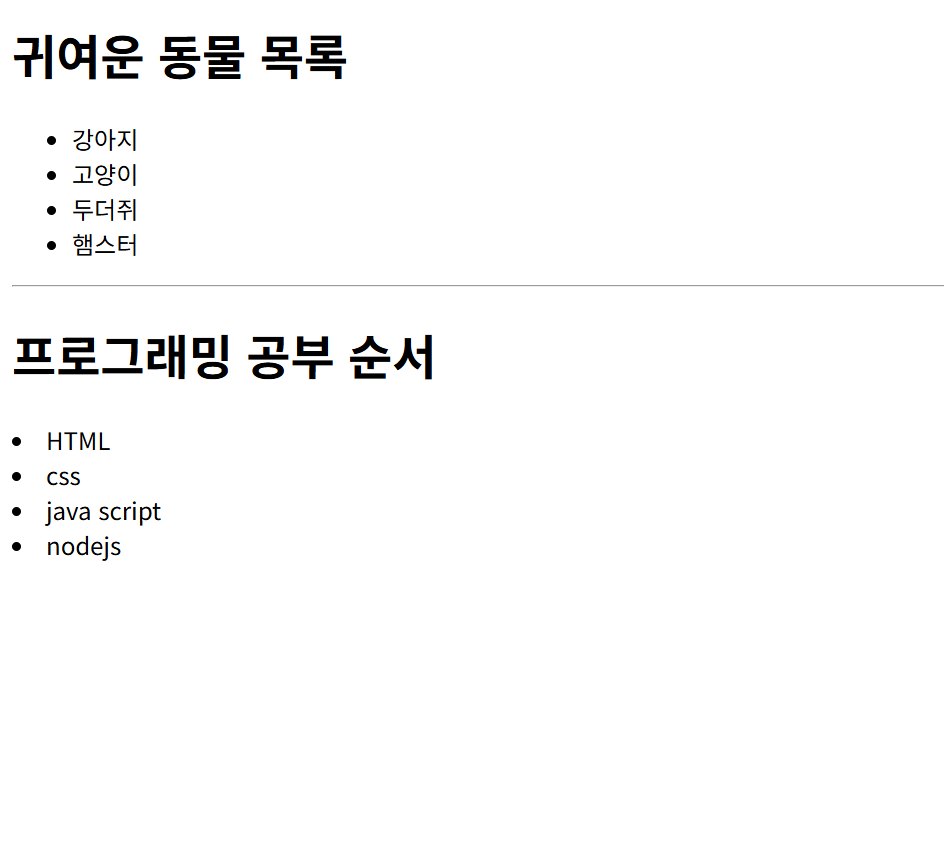
<!DOCTYPE html>
<html>
    <head>
        <meta charset="UTF-8">
        <title>html연습</title>
    </head>

    <body>

        <h1>귀여운 동물 목록</h1>
        <ul>
            <li>강아지</li>
             <li>고양이</li>
              <li>두더쥐</li>
               <li>햄스터</li>
        </ul>

        <hr>
        <h1>프로그래밍 공부 순서</h1>
         <li>HTML</li>
          <li>css</li>
           <li>java script</li>
            <li>nodejs</li>
    </body>
</html>
11강. 입력도 해보자
input 사용자로부터 값을 입력받을 수 있는 대화형 컨트롤을 나타낸다. 기본적으로 인라인 요소이며, 단일 태그이다.
<input/>
11-1. input 의 핵싱, type 속성
type 값이 달라짐에 따라 적용할 수 있는 추가 속성의 종류도 조금씩 차이를 보인다.
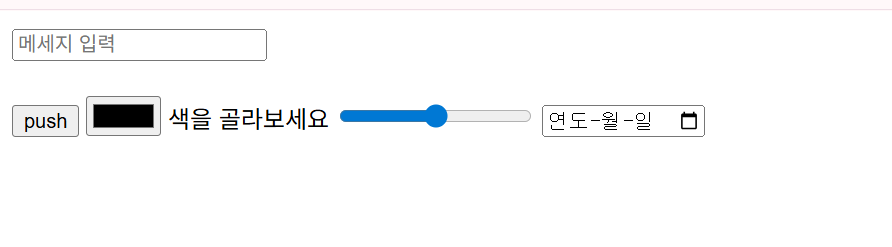
- <input type="text" maxlength="5" placeholer="메세지 입력"/>
- <input type="button" value="push"/>
- <input type="color"/> 색을 골라보세요!
- <input type="ranege" max="100" min="0" step="10"/>
- <input type="date"/>
<!DOCTYPE html>
<html>
    <head>
        <meta charset="UTF-8">
        <title>html연습</title>
    </head>

    <body>

        <input type="text" placeholder="메세지 입력" maxlength="5"/><br><br>
        <input type="button" value="push"/>
        <input type="color"/> 색을 골라보세요
        <input type="range" max="100" min="0" step="10"/>
        <input type="date"/>

    </body>
</html>
11-2. name 식별자를 추가
각각의 입력항목에 대한 이름
12강. input 외의 입력요소들
12-1. select
다수의 옵션을 포함할 수 있는 선택메뉴
name 을 지정할 수 있음. multiple 지정하면 다중선택도 가능함.
각각의 option에는 실제로 처리될 값인 value 를 지정할 수있음. selected 하면 그건 지정되어 있는 상태로 설정됨.
<!DOCTYPE html>
<html>
    <head>
        <meta charset="UTF-8">
        <title>html연습</title>
    </head>

    <body>
        <select>
            <option>스타벅스</option>
            <option>이디야</option>
            <option>커피빈</option>
        </select>


    </body>
</html>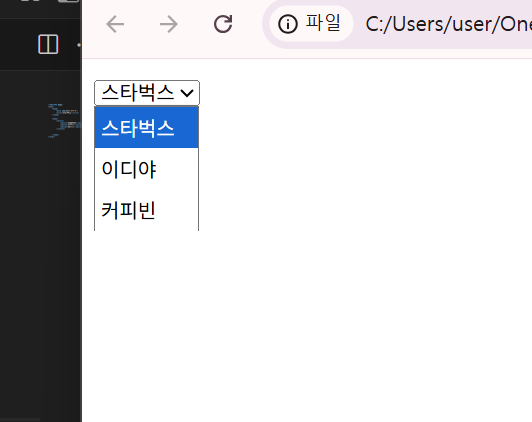
12-2. textarea
textarea는 여러 줄의 일반 텍스트를 입력할 수 있는 입력요소이다
name 을 추가할 수 있는 입력요소이다
<textarea name="content" rows="10" cols="10>기본적오르 쓰여있는 텍스트</textarea>